Features
One app. Every detail of your home.
Five things HomeFiles does for you — from the day you move in to the day you sell.
01 — Imagine what's next
See the redesign before you commit.
Turn your kitchen or bath photo into what it could be — with a real cost estimate. This is where most people start.
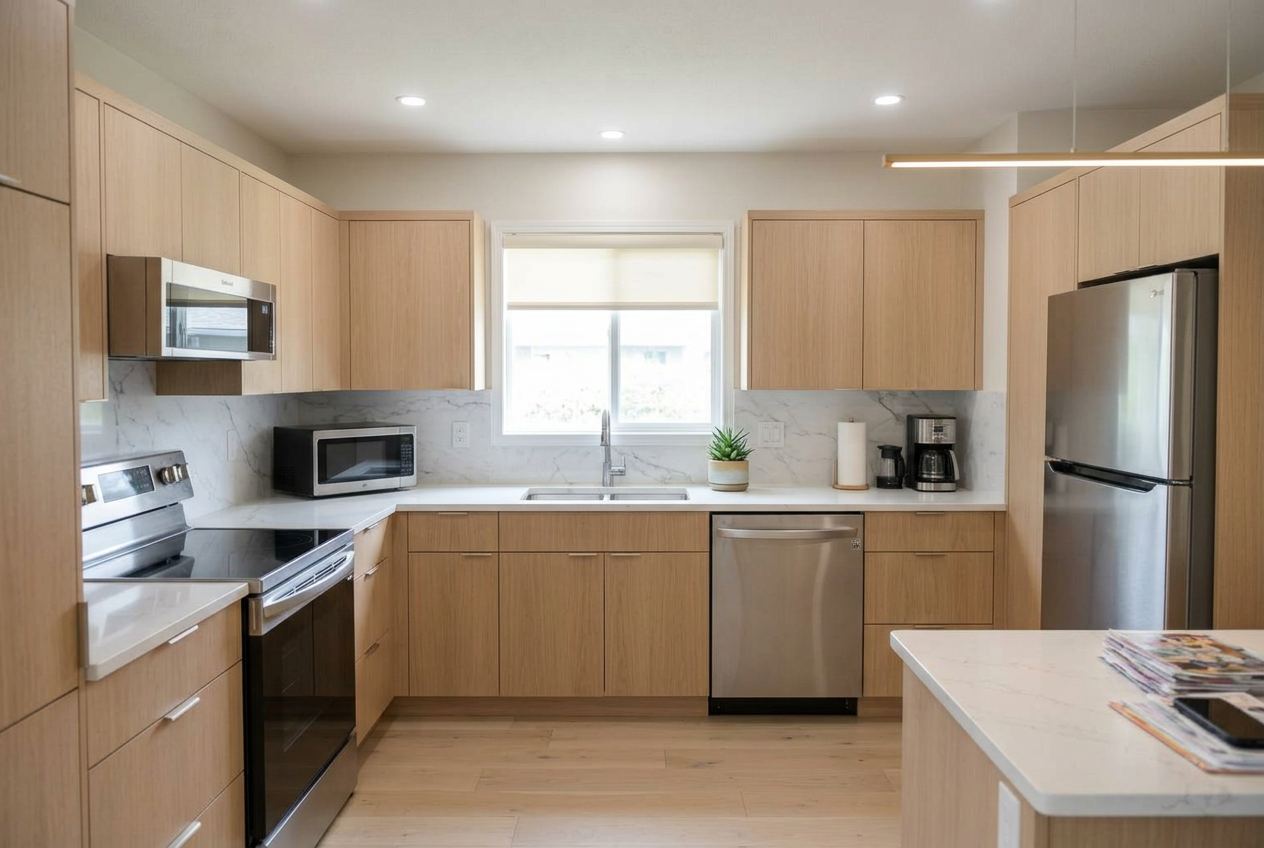 Dated 1990s kitchen before redesign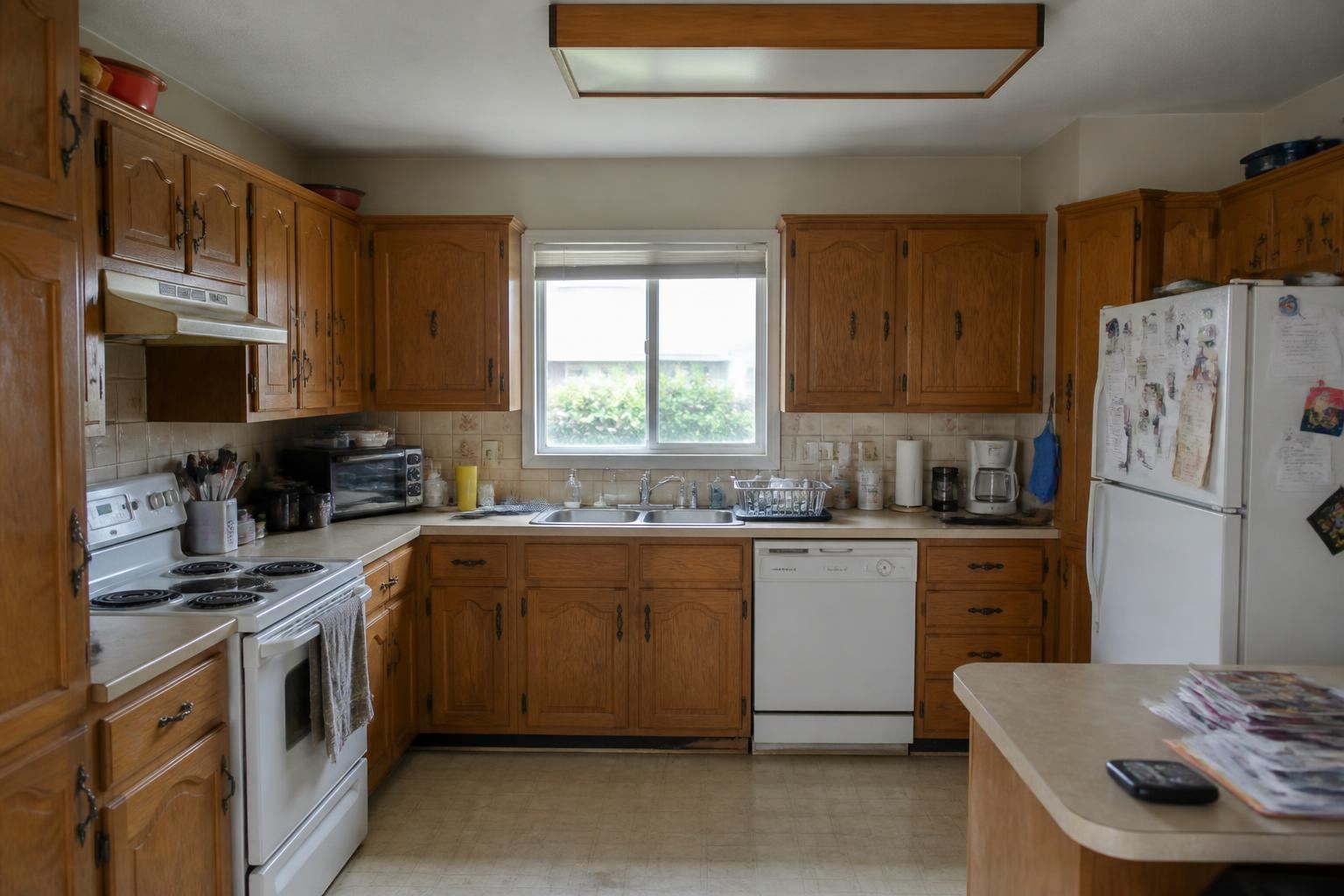
Visual renderings
Start from a photo of your actual space. Describe the change. Get realistic previews to compare side-by-side.
Space photo history
Retake the kitchen next year — we keep the old photo. Use any historical version as the source for a new render.
Regional cost estimates
We break down scope and return a range priced for your ZIP code — no surprise bids.
02 — Know what you own
A complete record of your home.
Not a spreadsheet. A living inventory built from photos, with automatic data entry.
Photo identification
Snap any item — appliance, fixture, tool, artwork. We name it, categorize it, and file it.
Nameplate OCR + serial decoding
Photograph the manufacturer label and we pull brand, model, and serial — and decode the manufacture date for major brands.
Drag-to-merge duplicates
Snapped the same fridge twice? Drag one card onto the other to combine photos into a single asset.
Floorplans & spaces
Upload floorplans and wide shots of every room. Retake photos over time — history is kept for before/after.
03 — Keep it running
The right task, at the right time, done the right way.
Maintenance built around your equipment, not a generic checklist.
Tailored schedule
Every asset gets its own service intervals — pulled from manufacturer guidance and adjusted for your home type and climate.
Reminders & calendar feed
One daily digest email. Subscribe to your home's calendar in Google, Apple, or Outlook.
How-to for your make & model
Every task has a step-by-step guide that cites your exact appliance — not a generic YouTube search.
Troubleshoot & find pros
Diagnostics walk you through likely fixes. When it's a pro job, we surface reputable local service providers.
Seasonal newsletter
Seasonal reminders and tips, drafted automatically. Opt-in and one-tap unsubscribe.
04 — See the money
Your home's financial picture, in one view.
Value, debt, taxes, and the tax bill you'd owe if you sold — all live.
Home value + owner override
Automatic annual value estimate from the address, with room for your own number. Equity math follows.
Loan tracking & payoff
Extract balance and terms from your loan documents. Watch the payoff curve; model extra payments.
Taxes, insurance & HOA
Drop the bill; we read it. Annual cost of ownership rolls up automatically.
Capital-gains exposure
Federal, state, and city (NYC, Philly, Yonkers…) capital-gains math — with a basis shield that tracks every improvement.
05 — Protect & share
Ready for the worst. Ready for the sale.
The paperwork you'd need in a fire, an inspection, or a closing — already assembled.
Insurance-ready inventory & valuables
Every item photographed with make, model, serial, and receipt. Export straight to your adjuster.
Disaster vault
Policies, deeds, IDs, floorplans, and utility contacts — one tap on your phone when you need them.
Sell-ready packet
Export a clean PDF of your maintenance history when it's time to list. Buyers pay for documented care.
Public Home Report Card
A Carfax-style score for your home. Share a public link with buyers or agents.
Share safely
Invite a spouse (full access) or a house manager (maintenance only). You choose what each person sees.
Multiple homes
Primary, rental, vacation, parents' — all under one account, each with its own calendar and reminders.
Built for homeowners, not contractors
No jargon. No spreadsheets. Free to start.
HomeFiles is designed for the person who owns the house and wants to take care of it — not for a property-management company with a CRM. We stay free by occasionally showing clearly-labeled partner offers inside the app. That's it. No paid tier, no data sale.
Get started
Start your home inventory in minutes.
Free to use — not a trial. Bring one home or many.
Start free →